
What's New
Another month, another batch of goodies from the team at StackAI.
Big Features
Code Node: Built-in Run Terminal
As a builder you used to have to guess whether your code worked in the code node, or context-switch to test it externally. Now the feedback loop is instant. The code node now has a live terminal in fullscreen mode. Write code, run it, and see output - all without leaving the workflow editor.
Code Node: Install Any Python Package
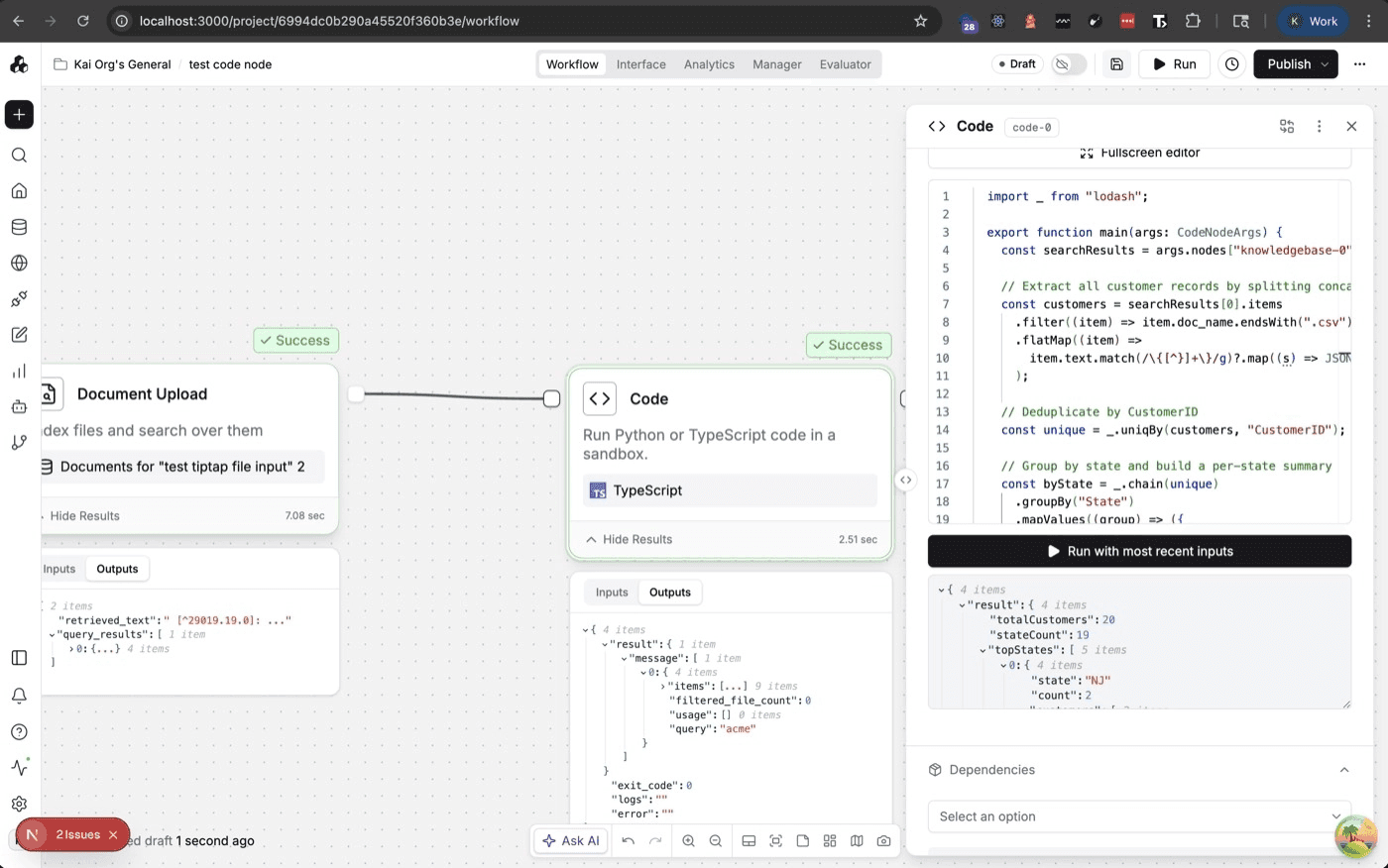
For many of our users one of the biggest code node frustrations was being limited to built-in Python functionality only. A whole new ecosystem of packages is now available inside workflows. This release allows code nodes to integrate with any Python library effectively solving that frustration.
Human in the Loop: Ask Human - Markdown in Approval Prompts
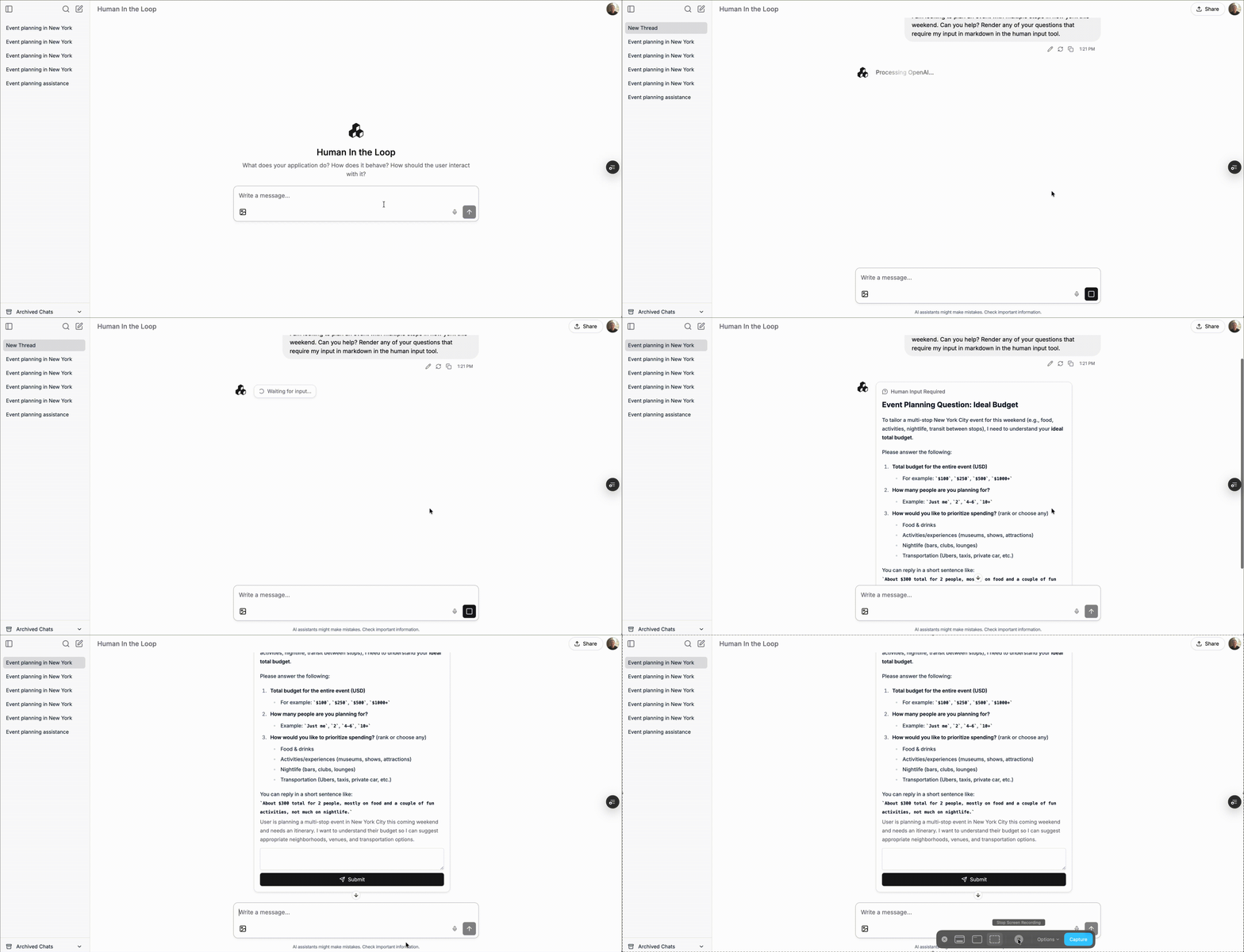
Approval prompts are often the most important content a reviewer reads before making a decision. Unformatted plain text increases errors. The Ask Human node now renders markdown in its question prompt - bold text, lists, headers, and emphasis all work, helping create a cleaner experience for end users.
Expressions: Prompt & Expression Editors Now Consistent
Users building complex workflows had to mentally switch between two different interfaces to do the same task for editing expressions and editing prompt variables. The prompt editor (for LLM prompts) and expression editor (for data transforms) now look and behave identically. You can also insert blank expression placeholders.
New Integrations & Actions
Google - Gemini 3.1 Pro
Anthropic - Claude Opus 4.6
Quality of Life
Connectors: Delete Connectors Directly from the Dialog
Users often encounter old or stale connections that need cleanup. Previously this required navigating to a separate settings page. With this newest change connection management is no longer an Easter egg hunt. Connector setup and management is now cleaner and faster than ever before.
Workflow Builder: Copy-Paste Preserves Node Connections
Building workflows by duplicating a section was painful because all connections were lost on paste. Now they're preserved. Workflow construction is meaningfully faster. You can build a complex sub-flow once and duplicate it - making reuse more practical.
Snowflake: Snowflake Support for Private Key as Multi-line Secrets
Key-pair auth is the enterprise-standard Snowflake connection method. It was broken because PEM keys span multiple lines. Snowflake private key authentication now accepts PEM keys in their native multi-line format - no more need for workarounds.
Bug Fixes:
Number input min/max validation corrected — fields with min/max constraints now properly enforce them.
LinkedIn tool responses now render correctly in chat assistants — results display as expected instead of raw text.
Usage limits revalidate correctly — dashboards now show accurate real-time usage data.
Prompt to Workflow chat flow state is now tracked reliably — conversations in flow mode no longer lose state between messages.
Template node copy text corrected — displayed text now matches the actual behavior.
Make your organization smarter with AI.
Deploy custom AI Assistants, Chatbots, and Workflow Automations to make your company 10x more efficient.










